Product updates

Find all the information about the latest releases by the ArborNote team.

ArborNote for Landscape Maintenance got a serious upgrade to help teams win more enhancement proposals, improve customer engagement, and turn opportunities into approved work faster.


Here’s what’s new:


✨ AI Proposal Visualizations — Help customers better understand and visualize proposed improvements with AI-generated “After” images that make enhancement recommendations more compelling. (Coming soon for Tree Care – along with several more AI upgrades.)


📐 LiDAR Measurements — Quickly and accurately measure landscape areas by simply walking the perimeter with your mobile device.


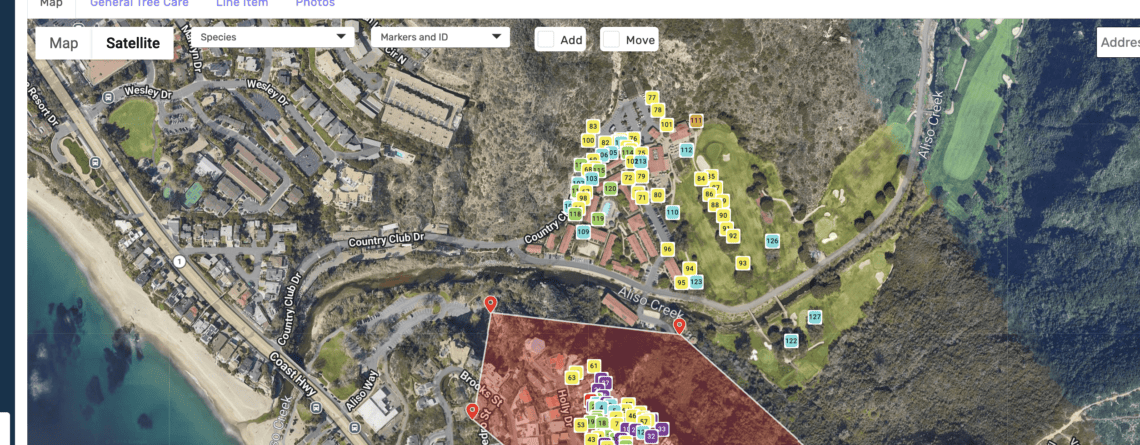
🗺️ Advanced Property Mapping — Create detailed Master Property Maps using pins, lines, and polygons to document irrigation systems, drainage, lighting, pathways, fencing, planting areas, and enhancement opportunities.


📅 Scheduling & Work Orders — Turn approved proposals into scheduled work with just a few clicks while improving visibility into crew capacity, equipment availability, and production targets.

ArborNote now offers powerful time tracking built specifically for tree care and landscaping field operations. Crew leaders clock in at the yard with a single tap to start the day and clock out when the work is complete, with GPS coordinates recorded each time.


The system works on two levels: a main clock-in records who’s present on site, while a separate work-order clock-in tracks time spent on individual jobs. This gives managers real-time visibility into who’s working, on what, and for how long—and lets you compare actual completion times against estimated scope to benchmark crew performance. Clocking in and out happens in the ArborNote Works mobile app, and crew leaders can clock in any crew member directly, so individual members don’t need their own login or device.


Built-in meal and rest break tracking helps protect both your crews and your business. When completing the end-of-day clock-out, a questionnaire prompts crew leaders to record breaks taken, with preset or custom reasons that you define in Time Tracking Settings. This creates a defensible daily record that crews were given the opportunity to take appropriate breaks—supporting your internal policies and compliance efforts while keeping the workflow simple in the field.


For managers, the desktop product brings everything together across three dedicated tabs. You can correct clock-in times, clock-out times, and break status even after a work order is closed—no reopening required. The Work Order tab shows exactly how much time each crew member spent per job for billing and performance review, and Clock Summary reports aggregate hours by crew member across any date range, with one-click Excel export ready for payroll. Deleted entries are fully archived for auditing, giving you stronger oversight without adding friction for your crews.

Measuring DBH and Height got easier thanks to our latest release to the ArborNote iOS App (Android coming soon!). iPhone Pro 12+ users can now tap a ruler icon and use their camera to get precise measurements. No more manual measurements or guesswork.

tree-dbh
tree-height-lidar

Once you’ve tapped the ruler icon, point your phone’s camera at the tree and use the ‘+’ symbol to activate LiDAR. DBH is one tap. For height, tap the ‘+’ symbol at the base, then span up to the top of tree and tap ‘+’ again. Tap ‘Use Measurement’ to record the measurement. 


Explore how ArborNote LiDAR measurement works in our help article. 


We have a whole host of LiDAR measurement improvements coming to the apps over the next few months. 

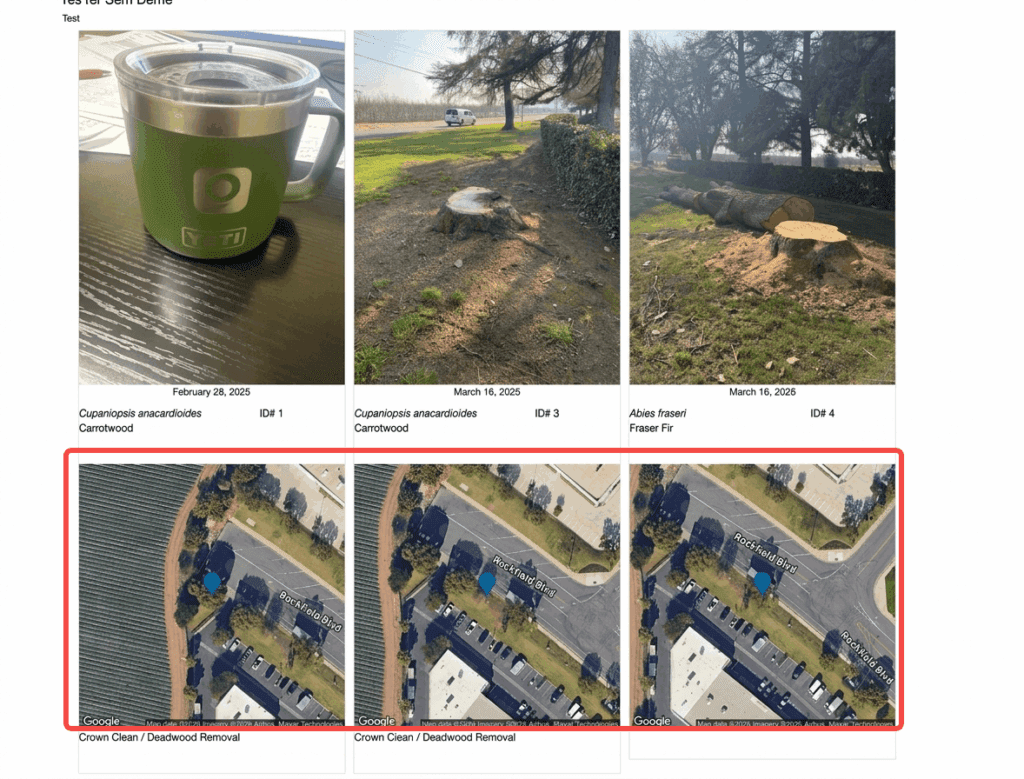
To speed up operations and customer experience when creating and viewing proposals and work orders, the ArborNote team has removed the individual static tree maps from the following areas:


  1. Proposal previews 
  2. Proposal PDFs
  3. Proposal email links
  4. Work Order PDF exports

The interactive tree maps that make your proposals, plans, and work orders stand out remain exactly the same as before and are not affected by this change.


Before making this change, we consulted and received feedback from a number of users who told us that the maps were not adding value. By removing the maps from these areas, proposals and work order PDF exports are now faster all round. 

Mobile App updates

Active search filter – a minor UI improvement has been released on both Android and iOS apps. When you tap the magnifying search icon and perform a search, the icon now changes to orange to show that results are filtered. Tap on the icon and remove your text to remove the filter. The icon reverts to gray to indicate that the results are not filtered and all your projects are displayed.


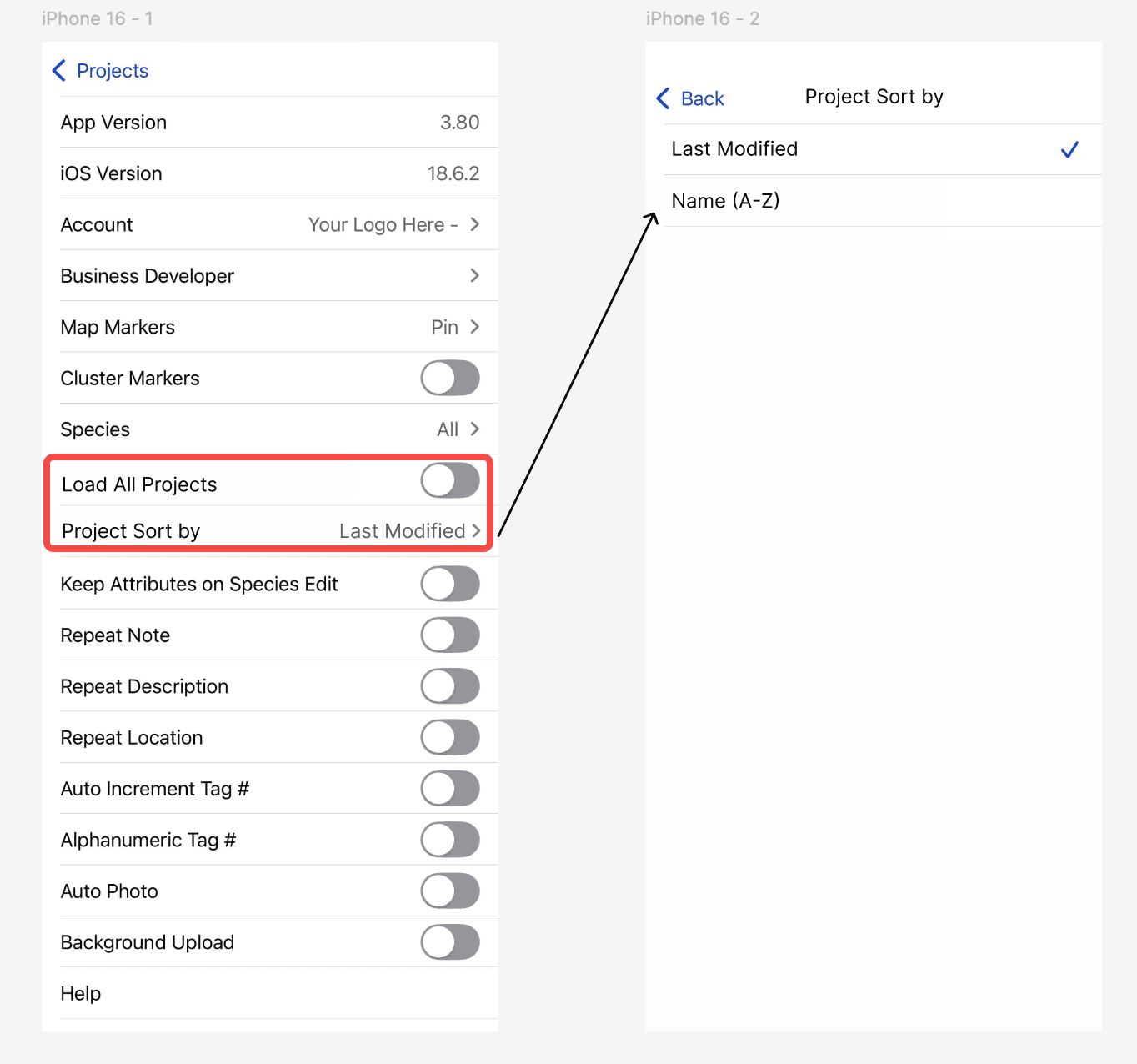
iOS default project sorting option – now under Settings in the iOS app, you can choose to load projects in alphabetical order, or by the date they were last updated.


Desktop releases


Coming Soon [ETA: Mid April] Add/Edit Markets when creating new projects – there is now a plus symbol ‘+’ next to Market (e.g. Commercial, Residential, HOA) to enable quick adding and editing of Markets. This is also to make the user experience similar to how Lead Sources are updated. 


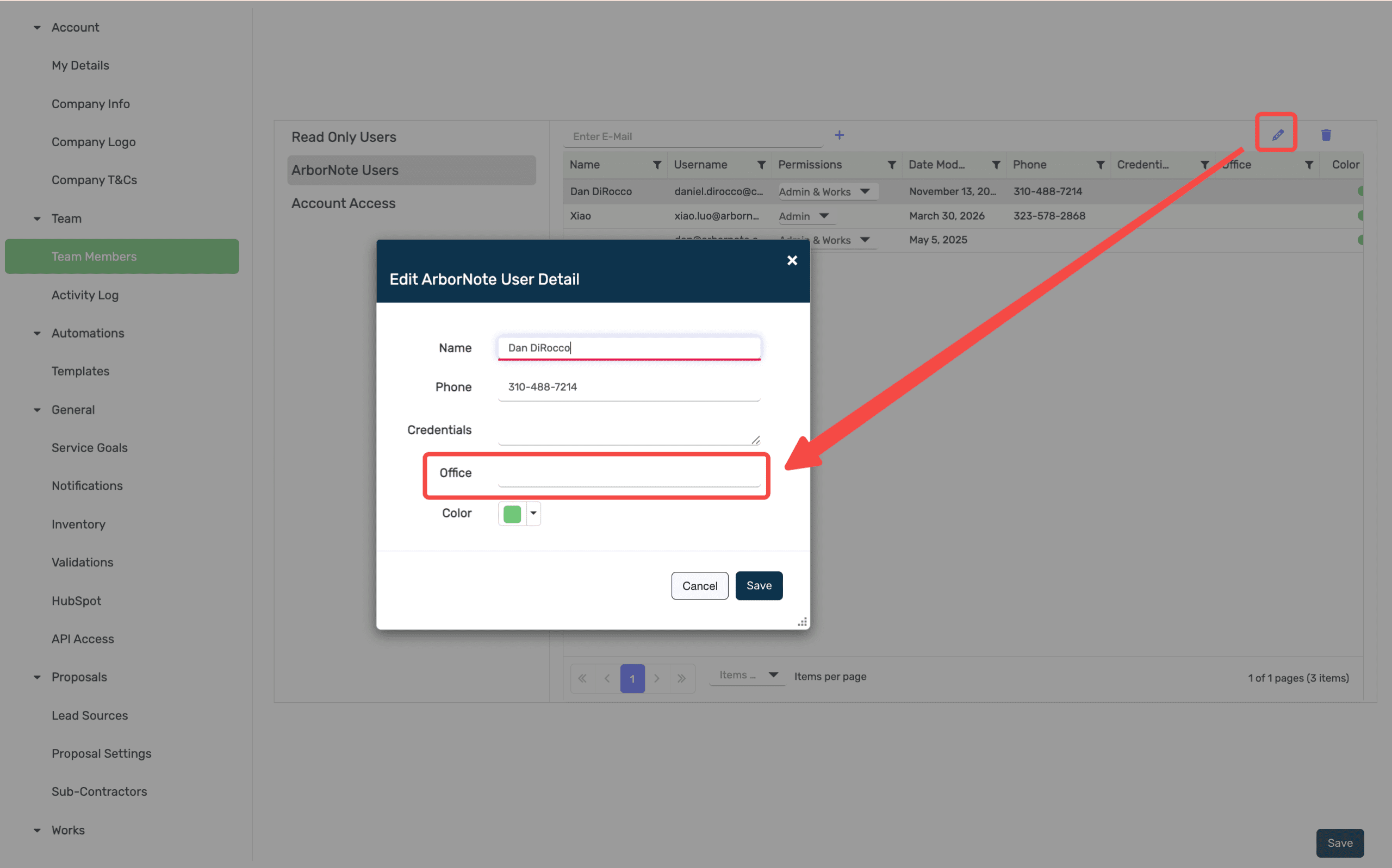
Add Office/Branch information for each user – as our customers increasingly scale their teams and operations, a new ‘Office’ field has  been added under ‘Settings’ > ‘Team Members’.