Active search filter – a minor UI improvement has been released on both Android and iOS apps. When you tap the magnifying search icon and perform a search, the icon now changes to orange to show that results are filtered. Tap on the icon and remove your text to remove the filter. The icon reverts to gray to indicate that the results are not filtered and all your projects are displayed.
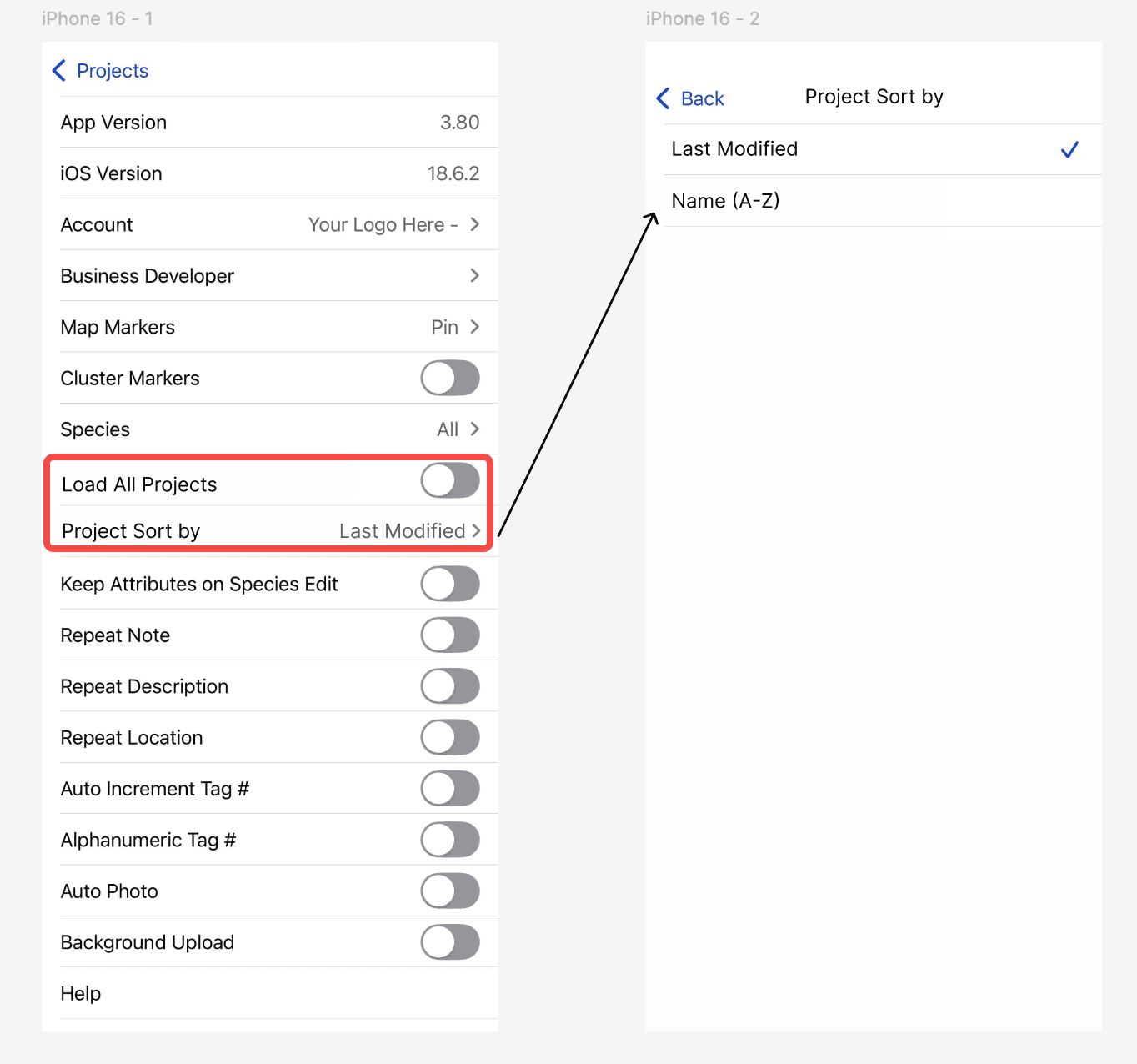
iOS default project sorting option – now under Settings in the iOS app, you can choose to load projects in alphabetical order, or by the date they were last updated.
Coming Soon [ETA: Mid April] Add/Edit Markets when creating new projects – there is now a plus symbol ‘+’ next to Market (e.g. Commercial, Residential, HOA) to enable quick adding and editing of Markets. This is also to make the user experience similar to how Lead Sources are updated.
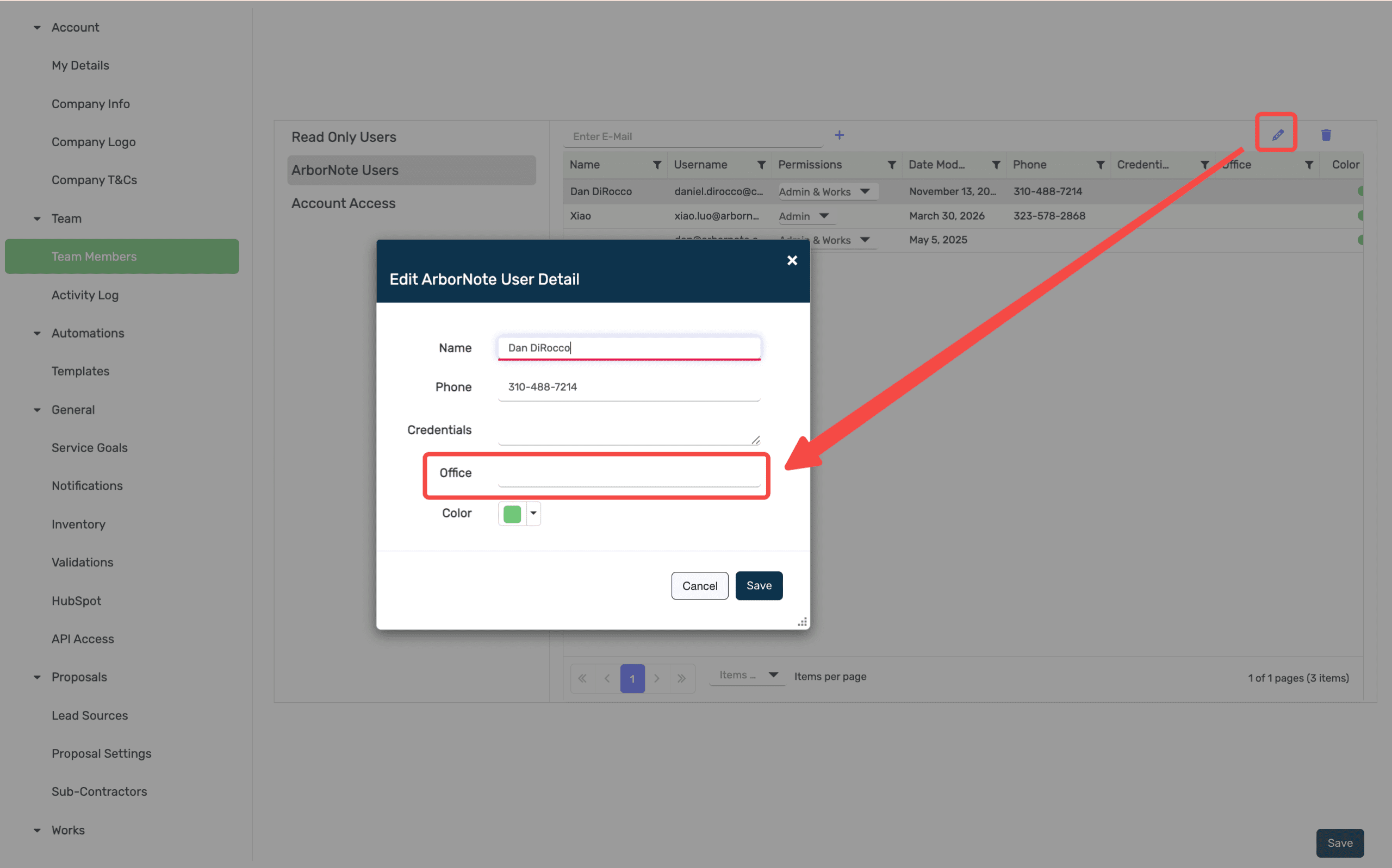
Add Office/Branch information for each user – as our customers increasingly scale their teams and operations, a new ‘Office’ field has been added under ‘Settings’ > ‘Team Members’.