
|
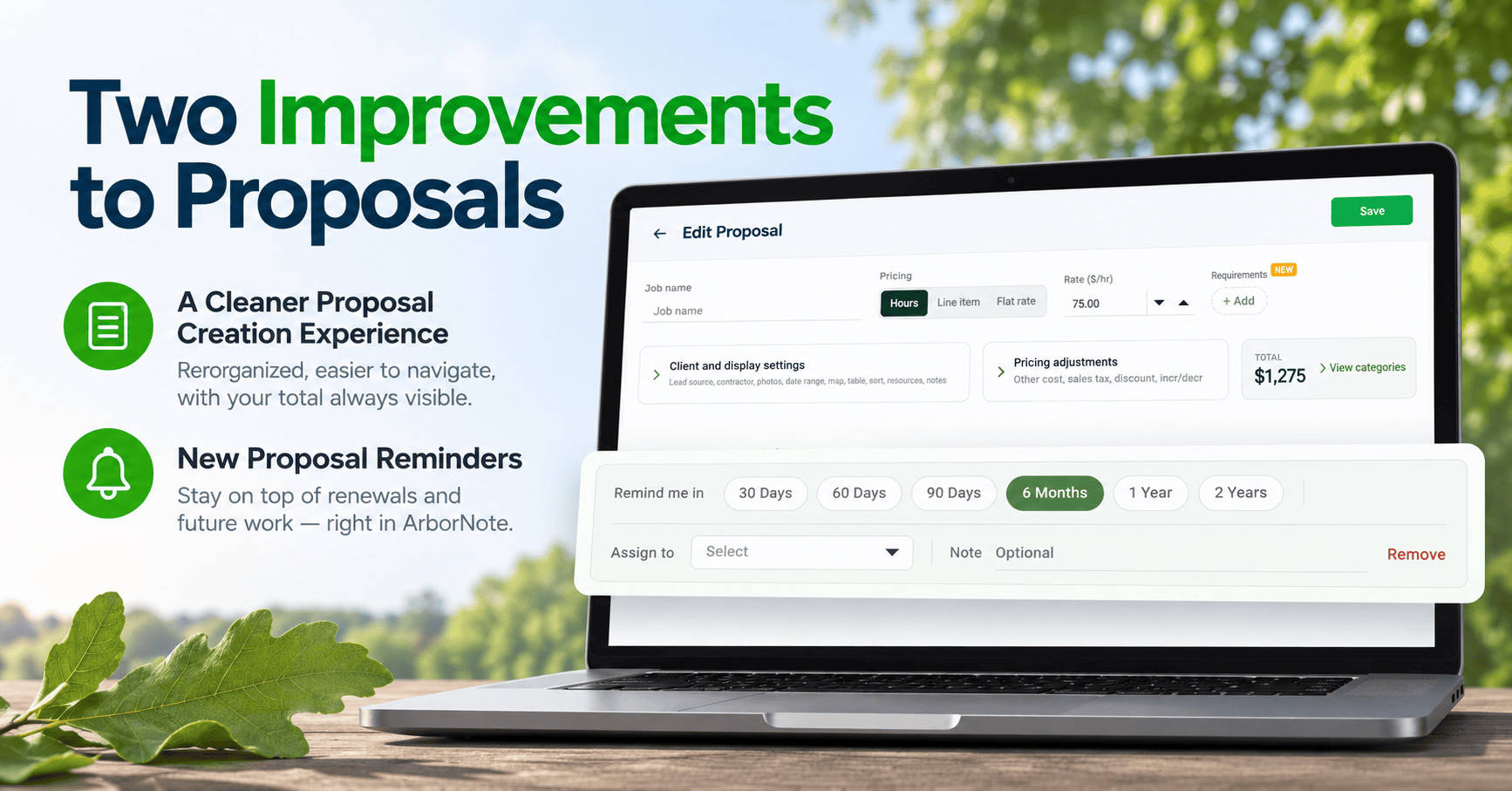
Two improvements have been made to ArborNote Desktop that will make it easier to build proposals and stay on top of future work. Here’s a quick look at the releases: Cleaner Proposal UIThe Create/Edit Proposal screen has been refreshed. The same fields, pricing options, and functionality you use today are still there. They’ve simply been re-organized to make the proposal screen easier to navigate. Related settings are now grouped into expandable sections, your proposal total stays visible at the top, and the detailed cost breakdown is available when you need it. |
.png?upscale=true&width=1120&upscale=true&name=image%20(35).png) |
New Proposal RemindersWe’ve also introduced Proposal Reminders to help your team keep track of renewals and future recurring work directly in ArborNote.
The reminder timeline begins when the job is marked complete, so follow-up is based on when the work was actually finished. |
 |
|
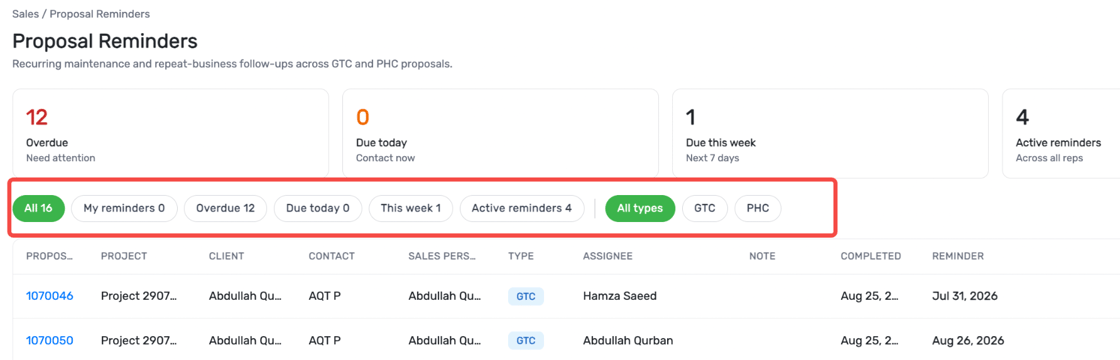
Under Sales → Proposal Reminders, your team can see reminders that are overdue, due today, due this week, or coming up. You can also open the original proposal, update the reminder, and access the client’s contact information right from the dashboard. It’s an easy way to stay on top of annual inspections, PHC treatments, pruning cycles, seasonal enhancements, irrigation work, and other services that may need follow-up in the future. We’re excited for you to start using these updates. As always, if you have any questions, our team is here to help. Read the full help documentation:
|